在生产环境中我们大量使用了 kvm 的虚拟技术,虚拟机的镜像系统使用的是 Cloud-init 的技术
不可避免的,虚机会遭到各种损坏,维护的手段就十分必要了
假设我们有一个虚机文件 vis-16-41-18.qcow2 坏了
一、安装支持包
yum install libguestfs libguestfs-tools
二、查看日志
virt-log -a vis-16-41-18.qcow2
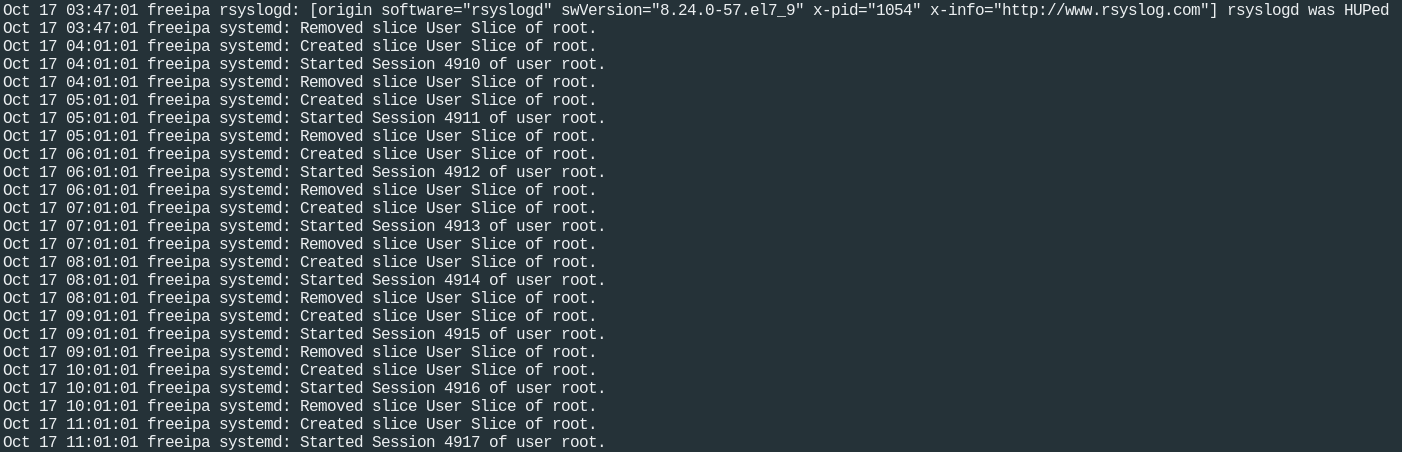
没有什么特殊的报错信息
三、分析文件系统组成
virt-filesystems和virt-df都可以,用virt-df看的更多一些
virt-filesystems -l -a vis-16-41-18.qcow2
Name       Type        VFS   Label  Size          Parent
/dev/sda1  filesystem  ext4  -      209715200     -
/dev/sda2  filesystem  ext4  -      214536355840  -

virt-df -a vis-16-41-18.qcow2
Filesystem                           1K-blocks       Used  Available  Use%
vis-16-41-18.qcow2:/dev/sda1            194241      31706     152295   17%
vis-16-41-18.qcow2:/dev/sda2         206088704    5639856  189973444    3%
四、挂载文件系统开始修复(方法1)
从上面可以看到 vis-16-41-18.qcow2 里面有两个分区,/dev/sda1 和/dev/sda2
第一个应该是/boot,第二个是/
把 / mount 出来
mkdir 18
guestmount -a vis-16-41-18.qcow2 -m /dev/sda2 --rw ./18
或者全自动mount
guestmount -a vis-16-41-18.qcow2 -i --rw ./18
这样就可以直接进18目录进行修复操作了
cd 18/lib64
ls libc*.*
发现同事胡乱升级glibc,把libc的基础库弄坏了,少libc.so.6的软链接,建立一个修复即可
ln -s libc-2.15.so libc.so.6
五、挂载文件系统开始修复(方法2)
我们可以用 guestmount,也可以直接用 guestfish 。
guestfish 是个命令行工具。它使用 libguestfs 的所有功能。
guestfish

Welcome to guestfish, the libguestfs filesystem interactive shell for
editing virtual machine filesystems.

Type: 'help' for help on commands
      'man' to read the manual
      'quit' to quit the shell

><fs> add vis-16-41-18.qcow2
><fs> run
><fs> list-filesystems
/dev/sda1: ext4
/dev/sda2: ext4
><fs> mount /dev/sda2 /
><fs> cat /etc/fstab

#
# /etc/fstab
# Created by anaconda on Mon Dec 29 15:24:53 2014
#
# Accessible filesystems, by reference, are maintained under '/dev/disk'
# See man pages fstab(5), findfs(8), mount(8) and/or blkid(8) for more info
#
UUID=9fdc111c-3042-4527-b3f8-a2961e55077e /                       ext4    defaults        1 1
UUID=1855d5e1-18f8-48ea-8c3b-c52cdd512a5e /boot                   ext4    defaults        1 2
tmpfs                   /dev/shm                tmpfs   defaults        0 0
devpts                  /dev/pts                devpts  gid=5,mode=620  0 0
sysfs                   /sys                    sysfs   defaults        0 0
proc                    /proc                   proc    defaults        0 0

><fs>
guestfish的常用命令:
add vis-16-41-18.qcow2
run
list-filesystems

ll /
ls /
cat /etc/fstab
write-append /etc/rc.d/rc.local "service sshd start"
edit /etc/fstab.
less /var/log/messages
mkdir /tmp/a
touch /tmp/a/b.txt
write /tmp/a/b.txt
rm /tmp/a/b.txt

upload Upload a local file to the disk. ###注意:是上载本地文件到镜像文件去!!!
六、virt对应guestfish的一些命令
virt-cat vis-16-41-18.qcow2  /home/supdev/.bash_history

virt-copy-in Copy files and directories into a guest.
virt-copy-out Copy files and directories out of a guest.

virt-edit Edit a file in a guest.
virt-ls List files and directories in a guest
七、virt-rescue救援模式
如果虚机系统起不来,可以先尝试进入 rescue 救援模式
virt-rescue 类似于救援 CD,但用于虚拟机,且无需提供 CD。
virt-rescue 为用户提供救援外壳和一些简单的恢复工具,可用于检查和更正虚拟机或磁盘映像中的问题。
virt-rescue -a vis-16-41-18.qcow2
Welcome to virt-rescue, the libguestfs rescue shell.

Note: The contents of / are the rescue appliance.
You need to mount the guest's partitions under /sysroot
before you can examine them. A helper script for that exists:
mount-rootfs-and-do-chroot.sh /dev/sda2

><rescue>
[   67.194384] EXT4-fs (sda1): mounting ext3 file system
using the ext4 subsystem
[   67.199292] EXT4-fs (sda1): mounted filesystem with ordered data
mode. Opts: (null)
mount: /dev/sda1 mounted on /sysroot.
mount: /dev bound on /sysroot/dev.
mount: /dev/pts bound on /sysroot/dev/pts.
mount: /proc bound on /sysroot/proc.
mount: /sys bound on /sysroot/sys.
Directory: /root
Thu Jun  5 13:20:51 UTC 2014
(none):~ #