nginx和traefik都可以做ingress,在入口处做证书的卸载,并转发tcp、udp、https、http流量
nginx是比较通常的做法,traefik配置比较简单,尤其是配置自动续签的证书
wget https://github.com/traefik/traefik/releases/download/v2.4.8/traefik_v2.4.8_linux_amd64.tar.gz
解压释放出来traefik文件,建立目录/export/servers/traefik
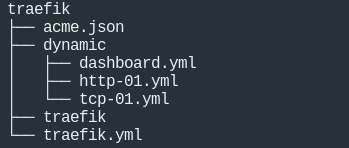
结构如下:
traefik.yml
log:
  level: DEBUG

api:
  insecure: false
  dashboard: true

entryPoints:
  http:
    address: ":80"
    #http:
    #  redirections:
    #    entryPoint:
    #      to: https
    #      scheme: https

  https:
    address: ":443"


certificatesResolvers:
  letsEncrypt:
    acme:
      storage: /export/servers/traefik/acme.json
      email: zhangranrui@rendoumi.com
      tlsChallenge: {}
      httpChallenge:
        entryPoint: http

providers:
  file:
    directory: /export/servers/traefik/dynamic
    watch: true
上面我们定义了log的level为DEBUG,并且开放了dashboard
定义了2个入口,http和https,可以直接用中间件强制http跳转https
然后定义了letsEncrypt的证书机构
最后定义了动态监控 /export/servers/traefik/dynamic 目录,如果下面有增加文件会自动更新配置。
然后再dynamic目录下定义转发routes
注意命名文件,test7是域名,01是序列号,文件内容中svc的序列号最好跟文件名一致,如果多文件重复会导致配置不可用!!!
test7-01.yml
http:
  routers:
    https_01:
      rule: "Host(`test7.ddky.com`)"
      service: svc_01
      tls:
        certresolver: letsEncrypt

    http:
      rule: "Host(`test7.ddky.com`)"
      service: svc_01
      entryPoints:
        - http

  services:
    svc_01:
      loadBalancer:
        servers:
          - url: "http://172.16.8.1:80"
test8-02.yml
http:
  routers:
    https_02:
      rule: "Host(`test8.ddky.com`)"
      service: svc_02
      tls:
        certresolver: letsEncrypt

    http_02:
      rule: "Host(`test8.ddky.com`)"
      service: svc_02
      entryPoints:
        - http

  services:
    svc_02:
      loadBalancer:
        servers:
          - url: "http://172.18.31.33:80"
dashboard.yml
http:
  routers:
    api-router:
      rule: "PathPrefix(`/api`) || PathPrefix(`/dashboard`)"
      service: api@internal
      entryPoints:
        - http
      middlewares:
        - dashboard-login

  middlewares:
    dashboard-login:
      basicAuth:
        users:
          - "admin:$apr1$u1xEoYqW$V5O5t4rmdly58WqS4nTVq1"
打开http://192.168.85.202/dashboard/#/
user: admin pass: xxxxxxxx
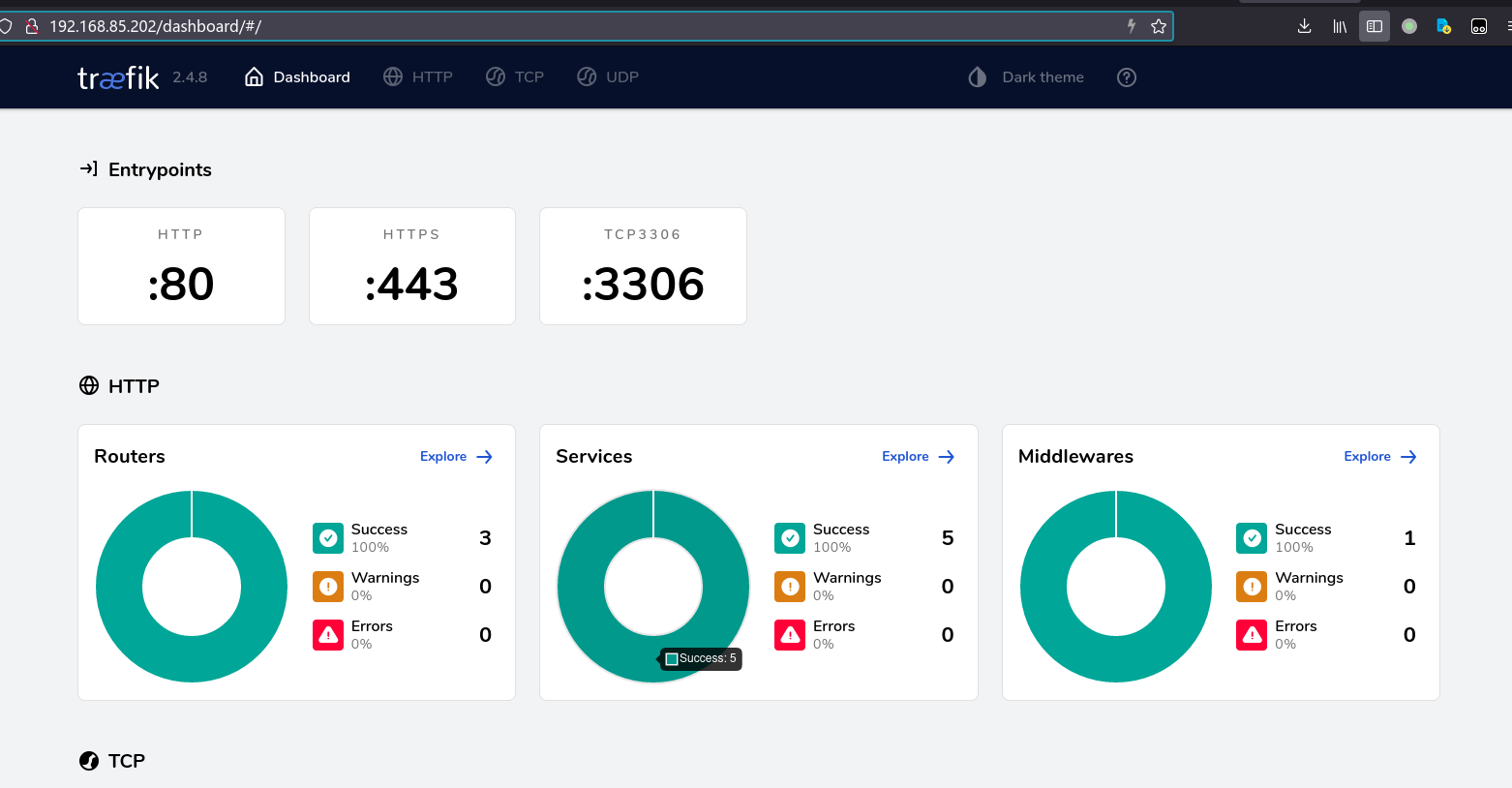
这样就可以了