librenms是个非常强悍的工具,对网络不清楚的可以透过这个工具,对网络环境有清晰的了解。
如何通过prometheus对librenms进行集成呢?
一、装pushgateway
wget https://github.com/prometheus/pushgateway/releases/download/v1.2.0/pushgateway-1.2.0.linux-amd64.tar.gz

把pushgateway放到/usr/local/bin

cat << EOF >>/etc/systemd/system/pushgateway.service
[Unit]
Description=Codis Exporter
Wants=network-online.target
After=network-online.target

[Service]
Type=simple
ExecStart=/usr/local/bin/pushgateway --web.listen-address=:50004

[Install]
WantedBy=multi-user.target
EOF

systemctl daemon-relaod
systemctl enable --now pushgateway.service
二、配置librenms
cd /opt/librenms
vi config.php
$config['prometheus']['enable'] = true;
$config['prometheus']['url'] = 'http://127.0.0.1:50004';
$config['prometheus']['job'] = 'librenms'; # Optional
三、配置prometheus
- job_name: 'librenms'
  scrape_interval: 300s
  honor_labels: true
  static_configs:
    - targets: ['172.18.31.10:50004']
      labels:
        sms_to: '18618197196'
首先访问prometheus,http://172.18.31.8:9090/targets
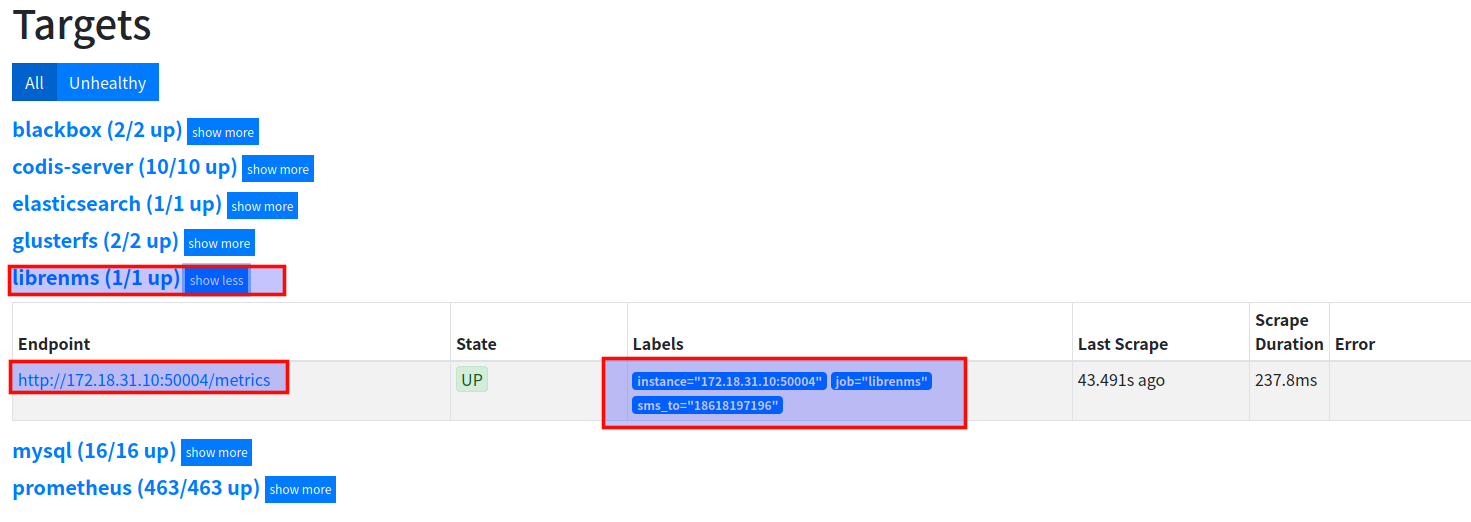
这样弄好后,再访问 http://172.18.31.10:50004/metrics
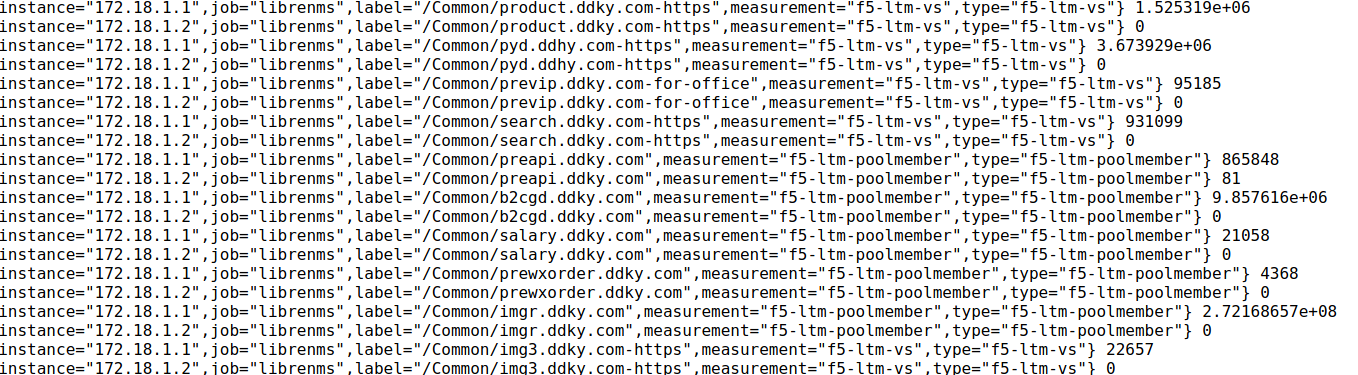
里面的东西是十分癫狂的,从交换机端口到F5,应有尽有
东西收进prometheus后,可以通过grafana对各种指标进行画图和报警