操作系统是Ubuntu 22.04.5,搭配AMD 6700 xt 12G的显卡
本来是Debian系统,可是它对rocm的支持没有Ubuntu好,所以只能洗掉Debian,重新安装了Ubuntu 22.04.5,普通用户是ubuntu
我们在这个平台上学习对模型进行蒸馏,首先安装openssh以及rocm 6.2的最新套件,并克隆llama.app:
sudo apt -y install openssh-server

sudo apt -y install wget ca-certificates gnupg2 curl
sudo apt -y install git cmake build-essential pkg-config
sudo apt -y install linux-headers-$(uname -r) gcc-12

sudo mkdir -p /etc/apt/keyrings
wget -qO- https://repo.radeon.com/rocm/rocm.gpg.key  | sudo gpg --dearmor -o /etc/apt/keyrings/rocm.gpg
echo "deb [arch=amd64 signed-by=/etc/apt/keyrings/rocm.gpg] https://repo.radeon.com/rocm/apt/6.2 jammy main"

sudo tee /etc/apt/preferences.d/rocm-repo-radeon-pin >/dev/null <<'EOF'
Package: *
Pin: origin "repo.radeon.com"
Pin-Priority: 1001
EOF

sudo apt update

sudo apt -y install rocm-hip-sdk rocm-device-libs rocminfo rocm-smi libssl-dev

sudo usermod -a -G video,render $USER

hipcc --version

rocminfo | head

git clone https://github.com/ggerganov/llama.cpp

cd llama.cpp/
cmake -S . -B build -DCMAKE_BUILD_TYPE=Release
cmake --build build -j
然后安装PyTorch,为了环境干净,用uv来维护python的环境:
# 安装uv
curl -LsSf https://astral.sh/uv/install.sh | sh

# PyTorch 官方提供的 ROCm 6.2 预编译包(wheels)目前最高只支持到 Python 3.12
# 所以必须用到python 3.12,LLaMA-Factory和llama.app需要用到python的某些包版本不一致,就需要切来切去

mkdir todo

cd todo
uv venv --python 3.12
. .venv/bin/activate

uv pip install torch torchvision torchaudio --index-url https://download.pytorch.org/whl/rocm6.2

# 退出终端重新登录
export HSA_OVERRIDE_GFX_VERSION=10.3.0
HSA_OVERRIDE_GFX_VERSION=10.3.0 python -c "import torch; print(torch.cuda.is_available())"

git clone https://github.com/hiyouga/LLaMA-Factory.git
cd LLaMA-Factory
uv pip install -e .[metrics]
准备教师训练数据,先只弄2条,跑通流程,然后再上3000条数据:
# 在 LLaMA-Factory/data 目录下,新建一个文件叫 opus_distill.json
# 内容如下:
[
  {
    "instruction": "请解释一下什么是黑洞,并给出一个生动的比喻。",
    "input": "",
    "output": "<think>\n1. 仔细分析请求:核心目标是解释黑洞,附加约束是提供生动比喻。\n2. 拆解概念:引力极强、逃逸速度大于光速、时空扭曲。\n3. 构思比喻:可以比作宇宙中的“单向漏斗”或“终极吸尘器”。\n4. 规划输出结构:先给出科学定义,再引入比喻,最后总结。\n5. 验证一致性:确保比喻没有严重扭曲物理事实。\n</think>\n黑洞是宇宙中引力极其强大的天体,其引力场强到连宇宙中跑得最快的光都无法逃脱。你可以把它想象成宇宙空间里的一个“单向无底洞”或“超级瀑布”。一旦水流(物质或光)越过瀑布的边缘(即事件视界),就只能往下掉,再也无法逆流而上。"
  },
  {
    "instruction": "写一段 Python 代码来反转一个字符串。",
    "input": "",
    "output": "<think>\n1. 分析需求:用 Python 反转字符串。\n2. 评估可行方案:切片方法、reversed() 函数拼接、循环遍历。\n3. 选择最优解:Python 中最优雅且高效的方式是使用切片 `[::-1]`。\n4. 编写代码并添加注释。\n</think>\n在 Python 中,最简洁高效的反转字符串方法是使用切片特性。代码如下:\n\n```python\ndef reverse_string(s):\n    return s[::-1]\n```\n这行代码的作用是从头到尾按步长为 -1 提取字符,从而实现反转。"
  }
]

# 打开 LLaMA-Factory/data/dataset_info.json,加入上面的简单训练数据集
# 加入训练集
  "opus_distill": {
    "file_name": "opus_distill.json"
  },

# 安装依赖
uv pip install bitsandbytes

# 开训,由于显卡内存有限,先练个小的模型
HSA_OVERRIDE_GFX_VERSION=10.3.0 llamafactory-cli train \
    --stage sft \
    --do_train \
    --model_name_or_path Qwen/Qwen2.5-1.5B-Instruct \
    --dataset opus_distill \
    --template qwen \
    --finetuning_type lora \
    --lora_target q_proj,v_proj \
    --output_dir ./saves/Qwen-1.5B/lora/opus-distilled \
    --overwrite_cache \
    --overwrite_output_dir \
    --cutoff_len 1024 \
    --preprocessing_num_workers 16 \
    --per_device_train_batch_size 1 \
    --gradient_accumulation_steps 4 \
    --lr_scheduler_type cosine \
    --logging_steps 1 \
    --warmup_ratio 0.1 \
    --save_steps 50 \
    --learning_rate 2e-4 \
    --num_train_epochs 3.0 \
    --fp16
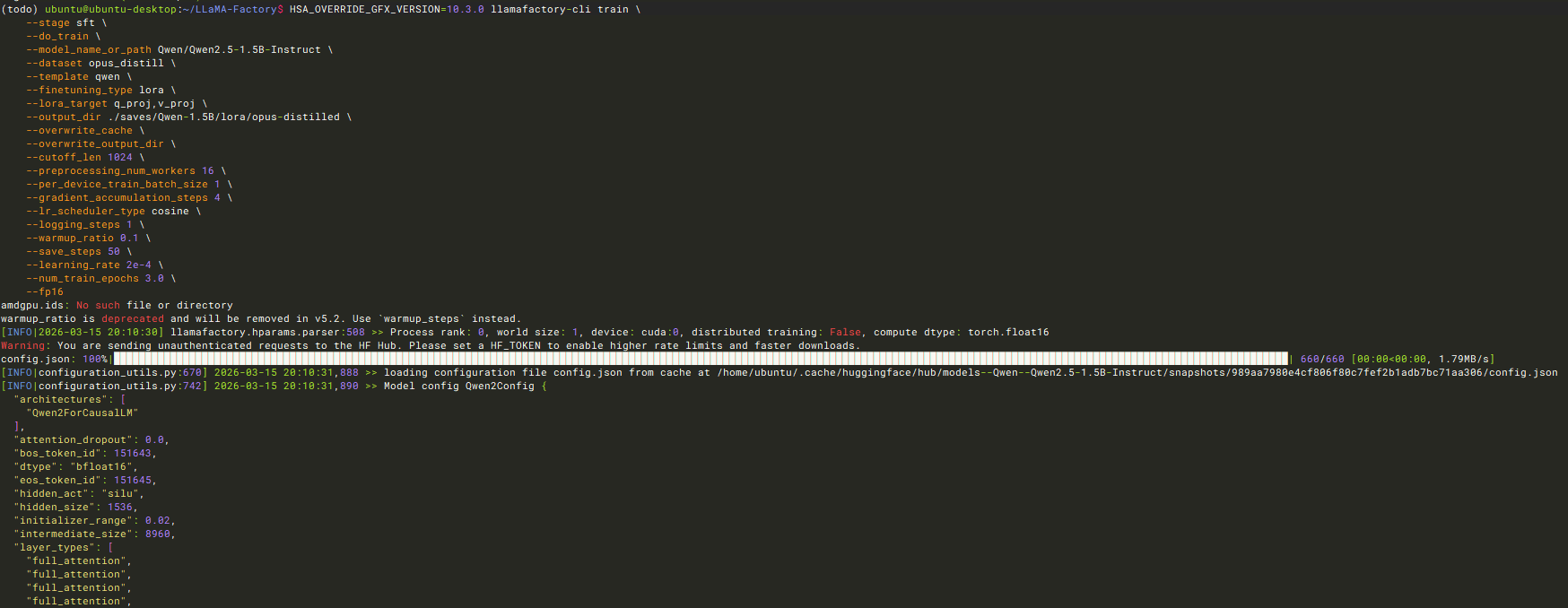
成功后把训练出来的LoRA适配器权重和底模融合在一起,变成一个独立的模型
HSA_OVERRIDE_GFX_VERSION=10.3.0 llamafactory-cli export \
    --model_name_or_path Qwen/Qwen2.5-1.5B-Instruct \
    --adapter_name_or_path ./saves/Qwen-1.5B/lora/opus-distilled \
    --template qwen \
    --finetuning_type lora \
    --export_dir ./models/Qwen-1.5B-Opus-Distilled-Merged \
    --export_size 2 \
    --export_device cpu
运行完毕后,你的 ./models/Qwen-1.5B-Opus-Distilled-Merged 目录下就会生成完整的 Hugging Face 格式模型文件

回到上层目录
cd ../llama.cpp/

# 我们之前为了装 ROCm 版本的 PyTorch,指定了 PyTorch 的官方下载源。uv 记住了这个源,并在里面找到了一个老版本的 transformers (4.56.1)。为了安全,它默认拒绝再去 Python 的公共官方源(PyPI)里寻找 llama.cpp 要求的最新版本 (4.57.1+)。
# 修复一下安装
uv pip install -r requirements.txt --index-strategy unsafe-best-match

# LLaMA-Factory 在导出合并模型时,把 tokenizer_config.json 文件里的 extra_special_tokens 字段存成了一个列表 (List)(比如 ["<think>", "</think>"])。但是,llama.cpp 底层依赖的最新版 transformers 库非常死板,它期望这个字段是一个字典 (Dictionary)
# 写个程序转换一下
python -c "
import json
path = '/home/ubuntu/LLaMA-Factory/models/Qwen-1.5B-Opus-Distilled-Merged/tokenizer_config.json'
with open(path, 'r', encoding='utf-8') as f: data = json.load(f)
if 'extra_special_tokens' in data and isinstance(data['extra_special_tokens'], list):
    del data['extra_special_tokens']
    with open(path, 'w', encoding='utf-8') as f: json.dump(data, f, indent=2, ensure_ascii=False)
    print('✅ tokenizer_config.json 修复成功!')
"

# 合并模型
python convert_hf_to_gguf.py /home/ubuntu/LLaMA-Factory/models/Qwen-1.5B-Opus-Distilled-Merged --outfile qwen-1.5b-opus-distilled-f16.gguf

紧接着做量化,量化为 Q4_K_M, 将 F16(16位浮点)压缩成 4-bit 量化格式,不仅能把模型体积缩小一半以上,还能大幅降低运行时的显存/内存带宽压力。因为 1.5B 模型本身很小,这个压缩过程在 CPU 上几秒钟就能跑完。
./build/bin/llama-quantize qwen-1.5b-opus-distilled-f16.gguf qwen-1.5b-opus-distilled-q4_k_m.gguf Q4_K_M

完美,验证一下成果:
./build/bin/llama-cli -m qwen-1.5b-opus-distilled-q4_k_m.gguf -p "请解释一下什么是黑洞,并给出一个生动的比喻。" -n 512
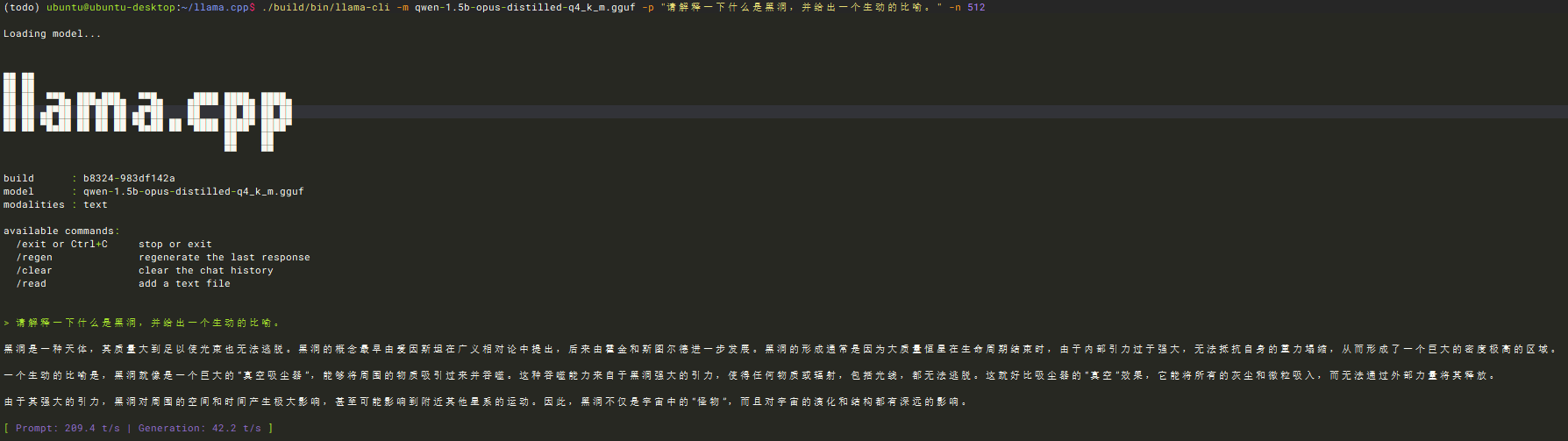
回答正确说明没啥问题了。
我们可以试试沉浸式对话模式:
./build/bin/llama-cli -m qwen-1.5b-opus-distilled-q4_k_m.gguf -cnv -c 2048
成功了,但是实际只有2条训练数据。
那把300条蒸馏数据给弄回来,真正训练一下
还得切回去pytorch,回到LLaMA-Factory目录下
# 修正pyhton的包
uv pip install --reinstall torch torchvision torchaudio --index-url https://download.pytorch.org/whl/rocm6.2
然后去huggingface.co下载opus训练数据
需要转换一下,/LLaMA-Factory根目录下放置下载的这个文件,并且同目录写个prepare_data.py
import json
import os

input_file = "distilled_corpus_400k_with_cot-filtered.jsonl"
output_file = "./data/opus_full_3000.json"
formatted_data = []

print(f"⏳ 正在读取本地文件: {input_file}")

if not os.path.exists(input_file):
    print(f"❌ 找不到文件 {input_file}!")
    exit()

with open(input_file, 'r', encoding='utf-8') as f:
    for i, line in enumerate(f):
        if not line.strip(): continue

        # 只取前 3000 条数据进行训练(保护你的显卡寿命!)
        if i >= 3000:
            break

        row = json.loads(line)

        user_input = row.get("problem", "")
        thinking = row.get("thinking", "")
        solution = row.get("solution", "")

        # 核心魔法:把 thinking 包裹进 <think> 标签,然后接上最终答案
        if user_input and solution:
            if thinking:
                assistant_output = f"<think>\n{thinking}\n</think>\n{solution}"
            else:
                assistant_output = solution

            formatted_data.append({
                "instruction": user_input.strip(),
                "input": "",
                "output": assistant_output.strip()
            })

with open(output_file, "w", encoding="utf-8") as out_f:
    json.dump(formatted_data, out_f, ensure_ascii=False, indent=2)

print(f"✅ 完美!成功提取并格式化了 {len(formatted_data)} 条思维链数据!已保存至 {output_file}")
修正数据格式并且把数据集放进去:
# 修正数据
python prepare_data.py

# 打开 LLaMA-Factory/data/dataset_info.json,把你刚刚生成的新文件注册进去:
{
  "opus_full_3000": {
    "file_name": "opus_full_3000.json"
  },
  "opus_distill": {
    "file_name": "opus_distill.json"
  },
开始炼丹吧:
HSA_OVERRIDE_GFX_VERSION=10.3.0 llamafactory-cli train \
    --stage sft \
    --do_train \
    --model_name_or_path Qwen/Qwen2.5-1.5B-Instruct \
    --dataset opus_full_3000 \
    --template qwen \
    --finetuning_type lora \
    --lora_target q_proj,v_proj \
    --output_dir ./saves/Qwen-1.5B/lora/opus-full-distilled \
    --overwrite_cache \
    --overwrite_output_dir \
    --cutoff_len 1024 \
    --preprocessing_num_workers 16 \
    --per_device_train_batch_size 1 \
    --gradient_accumulation_steps 4 \
    --lr_scheduler_type cosine \
    --logging_steps 10 \
    --warmup_ratio 0.1 \
    --save_steps 500 \
    --learning_rate 2e-4 \
    --num_train_epochs 3.0 \
    --fp16
跑了一个半小时,87%的进度,直接把GPU给干烧了
